
If you’ve lived in the UK for a while, you know the drill. You keep your Biometric Residence Permit (BRP) tucked away in your wallet like a golden ticket. It’s your proof of right to work, your proof of right to rent, and your “get back into the country” pass after a holiday.
But as of March 2026, the era of the plastic card is officially over.
The UK government has completed its massive shift to a “Digital Border,” meaning physical documents like BRPs and visa vignettes in passports are now relics of the past. Everything has moved to the cloud. While this sounds sleek and modern, the transition hasn’t been without its hiccups.
At Judge Law, we’ve been helping clients navigate this digital maze for months. If you’re feeling a bit anxious about not having a physical card to hold onto, don’t worry: we’ve got you covered. Here’s everything you need to know about the UK’s new eVisa system and how to make sure you don’t get caught out at the border.
What Exactly is an eVisa?
Think of an eVisa as a digital record of your immigration status. Instead of a sticker in your passport or a plastic BRP, your permission to stay in the UK is linked directly to your passport number in the UK Visas & Immigration (UKVI) database.
When you arrive at the border, the e-gates or the Border Force officer will simply scan your passport. Within seconds, their system talks to the UKVI database, confirms who you are, and sees exactly what your visa conditions are. No stamps, no cards, no fuss: ideally.
The “Digital Border” Vision
This shift is part of the UK’s broader “Border 2025” strategy. The goal is to create a seamless, “digital by default” system similar to what Australia has used for years. By removing physical documents, the Home Office aims to:
- Reduce Fraud: Physical cards can be lost, stolen, or forged. Digital records are much harder to tamper with.
- Cut Costs: No more printing and posting millions of plastic cards every year.
- Speed Up Entry: In theory, e-gates should work faster when they aren’t looking for physical markers on a card.
The Timeline: From Plastic to Pixels
The transition didn’t happen overnight, but we are now at the finish line. Since early 2025, the Home Office stopped issuing BRPs entirely. By now, in March 2026, the transition is total.
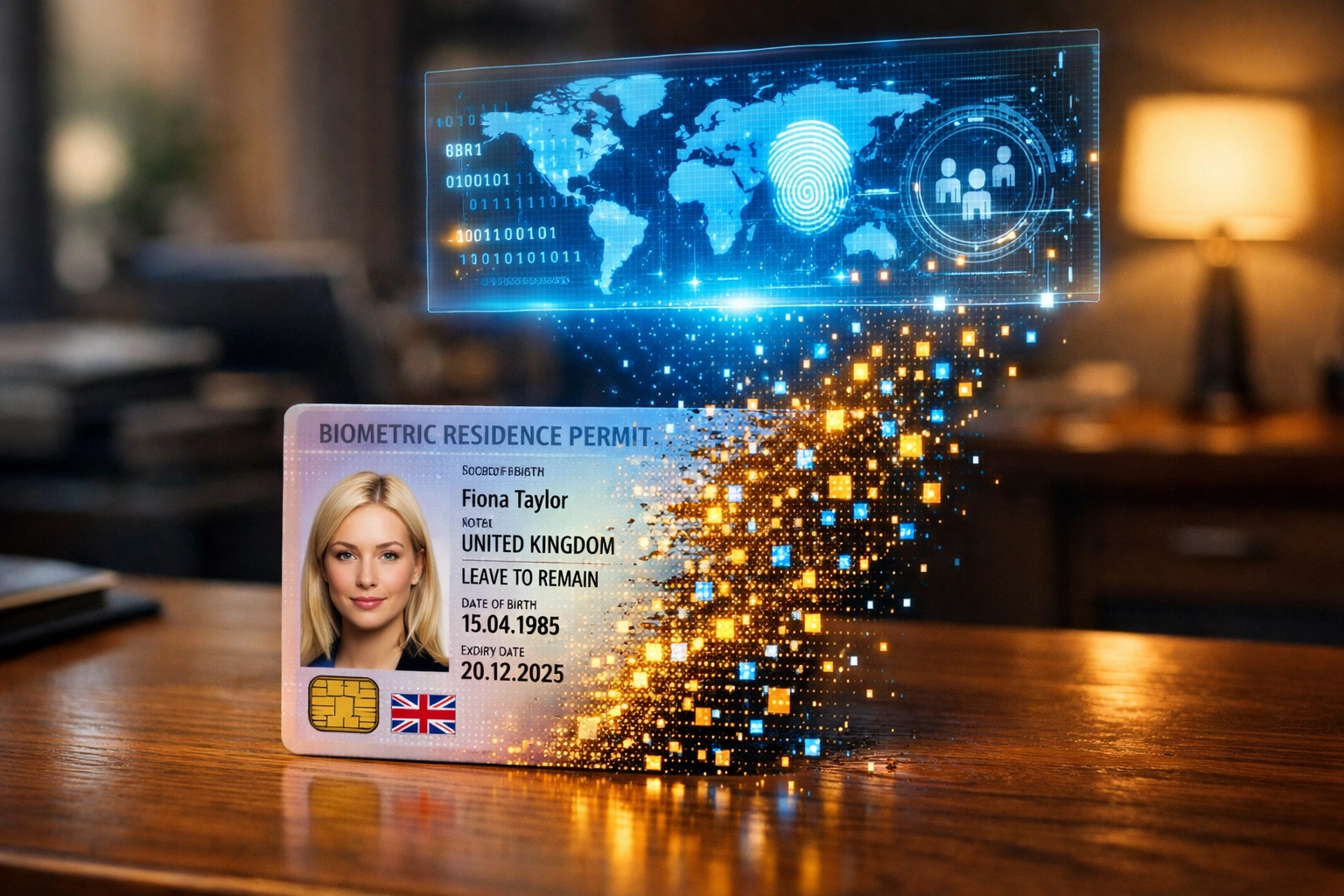
If you still have an old BRP in your drawer, it likely expired on December 31, 2024, or during the 2025 migration phase. If you haven’t yet linked your old status to a UKVI account, this is your wake-up call. You must create a UKVI account to access your eVisa. Without it, you’ll find it nearly impossible to prove your rights to an employer or a landlord.
The Reality Check: Technical Glitches and Headlines
While the “Digital Border” sounds great on paper, the reality has been a bit more complicated. We’ve all seen the headlines about technical glitches. System outages or data mismatches have left some people stranded at airports or unable to start new jobs.
Common Digital Roadblocks:
- The “No-Board” Message: Airlines now run automated checks before you even get on the plane. If your eVisa isn’t perfectly synced with your passport, the airline gets a “no-board” message. You could be stuck at the check-in desk while the plane takes off without you.
- The Landlord Dilemma: If you’re moving house, your landlord needs to perform a “Right to Rent” check. If the Home Office system is down or your record shows an error, you might miss out on that perfect flat.
- Employer Delays: HR departments are now required to use the Home Office online checking service. We’ve seen cases where a simple typo in a database has flagged a legal resident as “no right to work,” causing massive stress for employees.

The Most Important Rule: The Passport Link
If there is one thing you take away from this guide, let it be this: Your eVisa is only as good as the passport it is linked to.
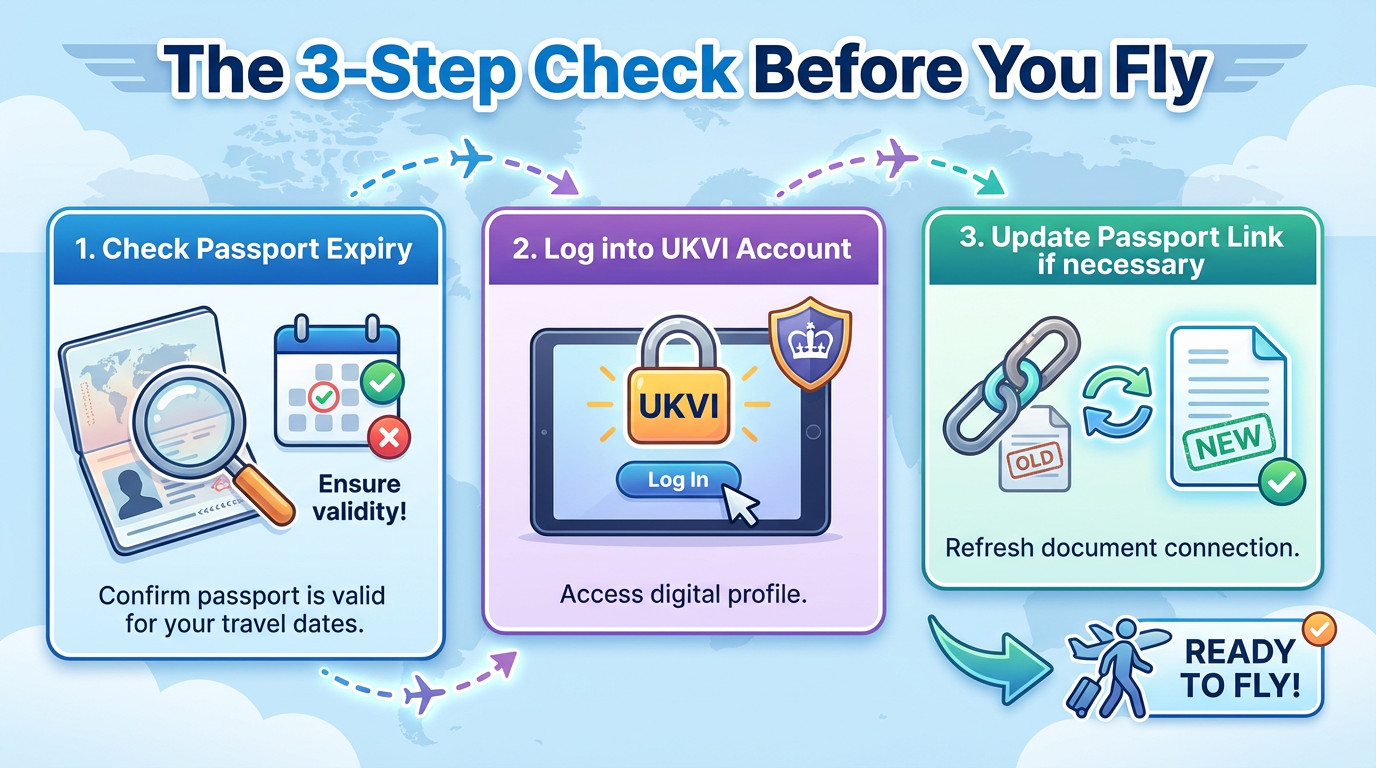
If you renew your passport, your eVisa does not automatically jump over to the new one. You must log into your UKVI account and update your identity document details immediately. If you turn up at the airport with a brand-new passport but your eVisa is still linked to your expired one, the system won’t recognize you.
At Judge Law, we recommend checking your UKVI account at least a month before any international travel. It only takes five minutes to log in and verify that your details are current, but it could save you days of travel chaos.
Comparison: Old BRP vs. New eVisa System
| Feature | Old System (BRP) | New System (eVisa) |
|---|---|---|
| Physical Form | Plastic credit-card sized card | Digital record in UKVI cloud |
| Proof of Status | Showing the physical card | Generating a “Share Code” online |
| Travel | Must carry BRP and Passport | Only need Passport (linked to account) |
| Renewal | Need to apply for a replacement card | Update details via online portal |
| Security | Risk of loss or physical theft | Risk of technical glitches or outages |
What About Visitors? The ETA System
It’s not just residents who are going digital. The UK has also fully rolled out the Electronic Travel Authorisation (ETA). This is for visitors who don’t need a full visa (like citizens from the USA, Canada, or Europe).
Before flying to the UK, these visitors must apply for an ETA online. It’s a small fee and usually processed within hours, but without it, you won’t be allowed to board your flight. This is the final piece of the “Digital Border” puzzle, ensuring that the Home Office knows exactly who is coming into the country before they even reach the white cliffs of Dover.
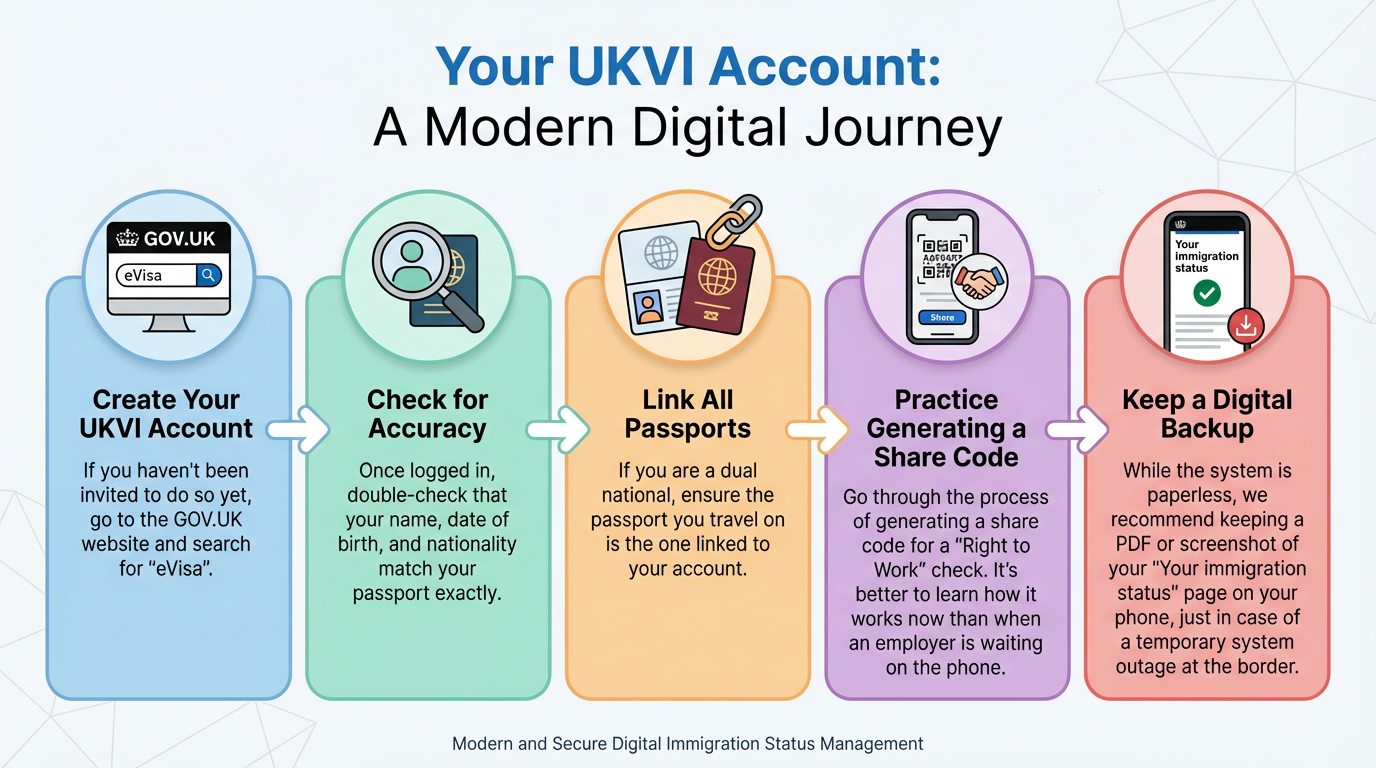
Five Steps to Protect Your Digital Status
Don’t wait for a crisis at the boarding gate to find out if your digital records are correct. Follow these steps today:
- Create your UKVI Account: If you haven’t been invited to do so yet, go to the GOV.UK website and search for “eVisa.”
- Check for Accuracy: Once logged in, double-check that your name, date of birth, and nationality match your passport exactly.
- Link All Passports: If you are a dual national, ensure the passport you travel on is the one linked to your account.
- Practice Generating a Share Code: Go through the process of generating a share code for a “Right to Work” check. It’s better to learn how it works now than when an employer is waiting on the phone.
- Keep a Digital Backup: While the system is paperless, we recommend keeping a PDF or screenshot of your “Your immigration status” page on your phone, just in case of a temporary system outage at the border.
How Judge Law Can Ease the Transition
We know that “digital” doesn’t always mean “simple.” Technology is wonderful when it works, but when it doesn’t, it can put your livelihood and your ability to travel at risk.
If you’re struggling to access your UKVI account, if your status is showing incorrect information, or if you’ve been wrongly flagged during a Right to Work check, we are here to help. Our immigration experts have been at the forefront of the eVisa rollout. We know who to contact at the Home Office to get digital errors fixed quickly.
The end of the BRP is a big change, but it doesn’t have to be a stressful one. With a little bit of preparation and the right legal support, you can navigate the new digital border with total confidence.
Need a hand getting your digital house in order? Or perhaps you’ve encountered a glitch that won’t go away? You can read about how we’ve helped others in similar spots or get in touch with us directly at Judge Law. Let’s make sure your move to the digital era is a smooth one.